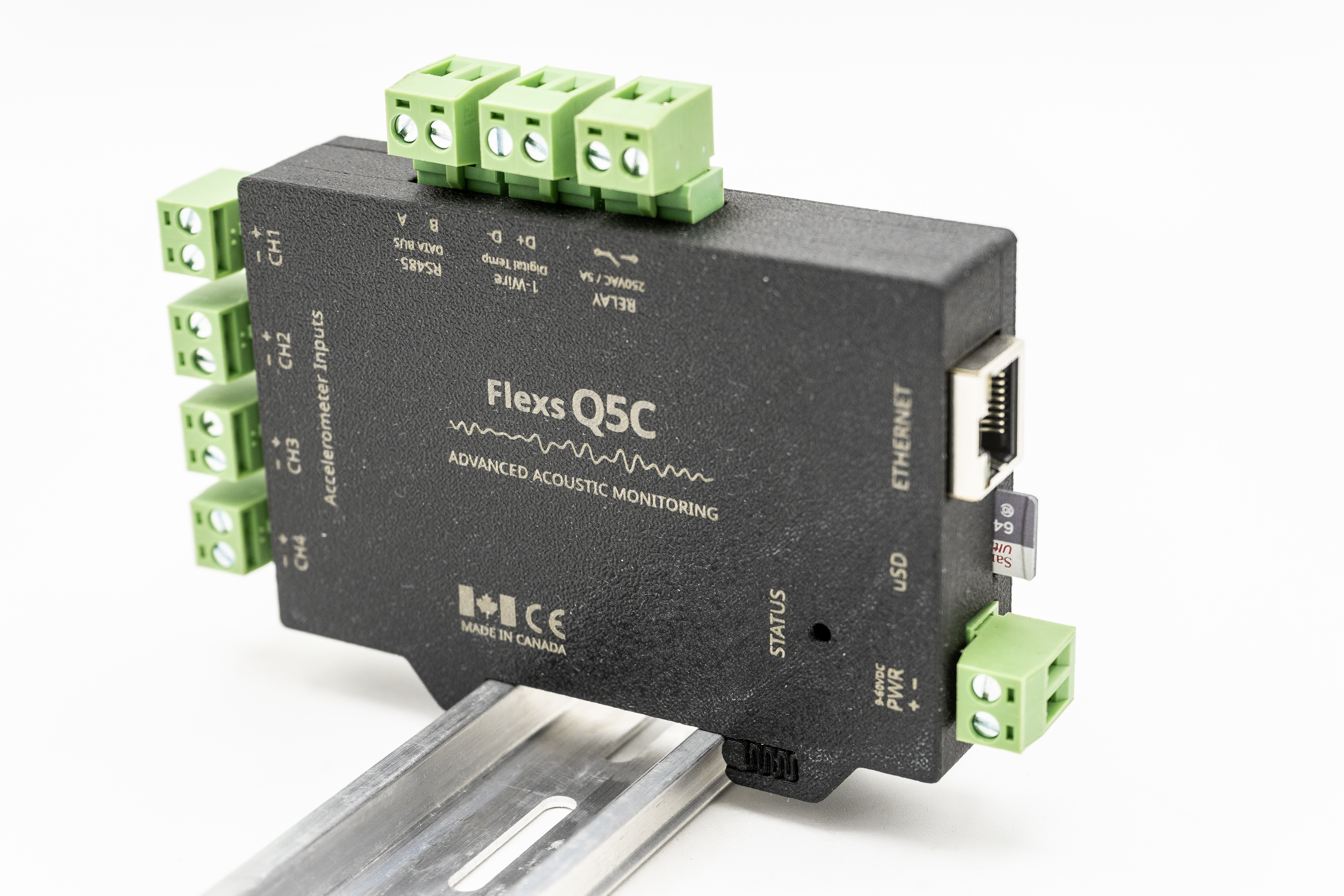
Flexs Q5C Scripting Reference
Vibration monitoring and machine-health analysis with on-board scripted logic.
The Flexs Q5C is configured through its on-board web interface using an editable
script. Scripts are interpreted with mJS, a
restricted JavaScript engine for embedded systems — most everyday JavaScript
syntax works, but there is no dynamic eval, no closures over freed objects,
and the standard library is the set of device functions documented here.
Script lifecycle
A script starts automatically at boot and restarts approximately 1 second
after it exits or crashes. Continuous loops must be bound to the run()
function so the device can stop the script during configuration updates:
while(run()){
  // your monitoring logic
  waitMS(100);
}
Warning — deployment safety. Bad scripts can cause unexpected behavior including device restarts, lockups and relay state changes. Always test thoroughly in a non-critical environment before deploying. Give the script enough runtime to confirm proper operation before committing configuration changes, so the device can boot back into a known-good configuration if a critical error occurs.
The 5-second shutdown rule
Scripts must not block for more than 5 seconds after run() returns
false. If your script does not exit within that window it will not be
updated during configuration changes, a device restart will be required, and
unexpected behavior may result because objects referenced by the script can
become undefined after the configuration changes.
IO synchronisation
The IO variables are synced with local variables whenever run() executes.
If you need to update IO points mid-loop, call syncIO() manually.
Reference by category
Vibration Analysis
Waveform capture, FFT processing and amplitude extraction for machine-health diagnostics.
- scope — High-speed waveform capture, FFT, enveloping/demodulation and amplitude extraction.
Language & Built-in Types
The mJS scripting language, and the methods carried by strings, numbers and arrays.
- The mJS Language — What the embedded mJS interpreter supports — a strict subset of ES6 designed for microcontrollers.
- String methods — Byte-level methods carried by every string: slice, at, indexOf — plus the chr() global for building strings from byte values.
- Number methods — Methods carried by every number: range mapping, limiting and fixed-precision formatting — plus the number() global for parsing strings.
- Array methods — Built-in array manipulation: splice for removing and inserting elements in place.
System & Environment
Script lifecycle, timing, device status and runtime configuration.
- Global Functions — Core functions available everywhere in a script: lifecycle, timing, logging and device status.
Data Logging & Storage
Recording measurements to the data logger, the memory card and non-volatile memory.
Networking
HTTP, UDP and MQTT communication with servers, brokers and other devices.
Industrial Protocols
Modbus, EtherNet/IP, CAN bus and RS-485 serial connectivity to PLCs and instruments.
Binary Data & Encoding
Packing, parsing and converting binary buffers, JSON and strings.
Math & Utilities
Standard math library plus embedded extensions like value scaling and hardware random numbers.
-
Math
— Standard JavaScript Math library plus embedded extensions: Math.map() scaling and a hardware random number generator.
Math.random() Math.abs() Math.acos() Math.acosh() Math.asin() Math.asinh() Math.atan() Math.atan2() Math.atanh() Math.cbrt() Math.ceil() Math.cos() Math.cosh() Math.exp() Math.floor() Math.log() Math.max() Math.min() Math.pow() Math.round() Math.sin() Math.sinh() Math.sqrt() Math.tan() Math.tanh() Math.trunc()
Alarms & Events
Alarm condition evaluation, grouping, acknowledgement and structured event logging.
- alm — Register and evaluate alarm conditions with trigger/clear delays, grouping, acknowledgement and priority queries.
Example scripts
Variable Speed Bearing Vibration Analysis
Monitors a bearing on a variable-speed machine. Captures a high-frequency FFT to track lubrication film health (3.5–12 kHz RMS band), then …
Variable Speed Bearing Vibration Analysis 2
An extended diagnostic for a Link-Belt F-B22463H bearing: multiple captures per cycle (narrow speed capture, lubrication-film band, two env…
Custom Logging
How to log your own script variables by assigning them into a predefined io group.
Uptime
Read the device uptime in seconds with now().
System Status
Read supply voltage, device identity, firmware versions and measurement queue level with __status().
Memory Card & Date/Time
Sets the clock UTC offset, appends timestamped lines to a log file on the memory card, and prints the full datetime() object.
JSON Web Client
Reads JSON from external web servers and from another Q5 running the JSON Web Server example — POSTing a payload, checking err/code, and par…
JSON Web Server
Turns the script into a JSON REST server. Access it in a browser at http://<Q5 IP/app/abc.
JSON Send Measurements to Server
Streams JSON measurements to a server by POSTing on an interval, with upload error handling. The server can reply with commands (e.g. relay …
UDP Packet Transmission, SYSLOG
Streams JSON packets to a UDP/syslog target once per second.
MQTT Publish / Subscribe
Publishes telemetry and subscribes to command topics with a callback. Reconnects automatically by calling mqtt.connect() each loop (code 207…
Variable Measurement Interval
Adapts the measurement and upload intervals based on how full the measurement queue is (__status().mqueue), allowing more measurements to be…
AES256 Encryption / Decryption
Derives an AES-256 key from a passphrase with bin.sha256(), encrypts a JSON payload, decrypts it and validates the checksum.
EtherNet/IP Read
Connects to an Allen-Bradley style PLC over EtherNet/IP, reads four floats from file F103, parses them with the binary reader (with unit co…
Modbus TCP Data Table From Logic
Creates a Modbus slave register table backed by a bin buffer that the script updates and remote Modbus TCP clients can read and write. Inclu…
Modbus TCP Multiple Registers READ / WRITE
Connects to a Modbus TCP slave, reads 30 registers from a weather station (parsing mixed U32/S32 values with scaling), and writes multiple r…
Alarm Conditions
Registers a critical fault with a 5-second trigger delay using alm.e(), prints its live value each loop, and shows the group/summary queries…
Binary Packing, Bits & Hex
Round-trips data through the bin conversion functions: packing a bit array to bytes with "RBITS", converting between binary and hex text wit…
Structured Event Logging
The extended five-argument form of log(): title, description, a numeric type for grouping, a priority, and an attached value — particularly …
UDP Server / Listener
Listens for AES-256 encrypted JSON packets on UDP port 9000 with udp.handle() — only a single UDP listener is supported — and merges the rec…
EtherNet/IP Server (PLC Handler)
Answers EtherNet/IP requests from a PLC with eip.handle(): write requests unpack a status word into individual io flags using bit masks, and…
Non-Volatile Setpoint Storage
Persists operator setpoints and a users table in battery-backed memory with nv.get()/nv.set() — merging saved values over code defaults so …
CAN Bus Transmit & Receive
Initialises the CAN bus at 125 kbps, prints every received frame from the can.listen() callback, and transmits a test frame once per second …
Serial Port: Encrypted Device-to-Device
Sends AES-256 encrypted, checksummed measurements between devices over RS-485: objects are serialised with string(), encrypted with bin.enc…
Serial Port: Plain Text
Minimal RS-485 usage: initialise the port, print every carriage-return delimited message that arrives, and transmit a text line once per se…
Serial Modbus (RS-485)
Polls a Modbus RTU slave directly over the RS-485 port: initialise the port with serial.init(), then use modbus.read() with the matching po…
SD Card Configuration File
Demonstrates storing a JSON configuration file with setpoints etc to a sd card.
FTP Logging
Demonstrates logging some data to a remote FTP server. Testing Run python3 -m pyftpdlib -w -p2121 -u logger -P secret on a local linux w…